AI Image to Video Generator Free | Create Videos from Images with Xelta AI
AI Image to Video Generator Free: Transform Static Images into Dynamic Videos
A single image can communicate an idea.
A video can bring that idea to life.
With an AI Image to Video Generator Free, creators can transform static photographs, AI-generated artwork, product images, architectural renders, illustrations, and design concepts into engaging videos using artificial intelligence.
Instead of manually creating keyframes, animations, camera movements, and visual effects, AI analyzes an image and generates natural motion based on your instructions.
For example:
- A landscape photo becomes a cinematic fly-through.
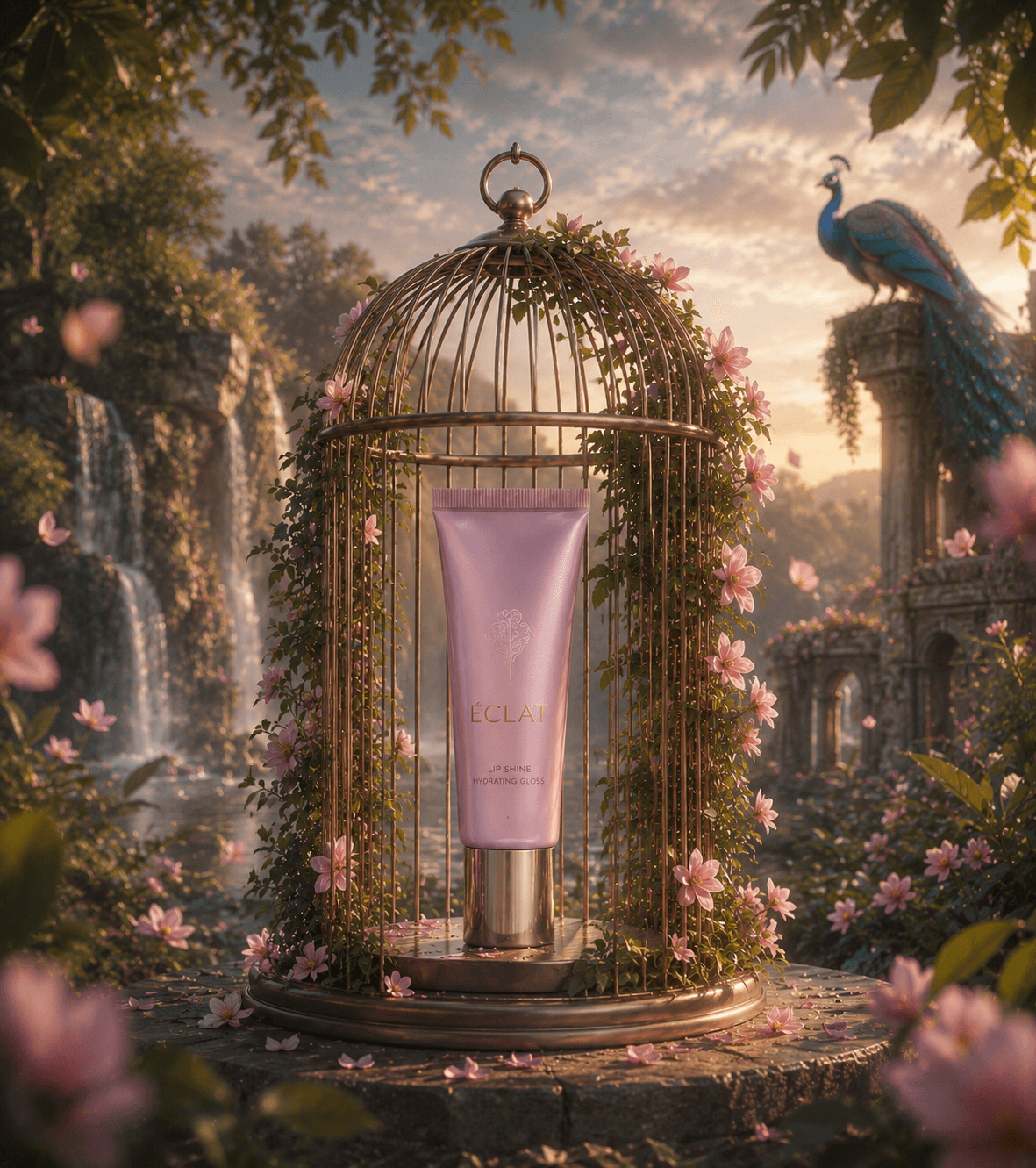
- A product image transforms into a promotional advertisement.
- An interior design render becomes a realistic walkthrough.
- A character illustration turns into an animated storytelling scene.
This technology is valuable for:
- Content Creators
- Digital Marketers
- Interior Designers
- Architects
- Real Estate Professionals
- E-commerce Businesses
- Advertising Agencies
- Filmmakers
- Social Media Managers
Platforms like Xelta AI extend this workflow by combining AI image generation, AI video generation, cinematic creation, editing, enhancement, audio tools, and creative automation into one connected ecosystem.
Table of Contents
- What Is an AI Image to Video Generator?
- How AI Image-to-Video Works
- Key Features
- Benefits
- Real Examples
- AI vs Traditional Video Production
- Why Choose Xelta AI?
- Buying Guide
- Expert Tips
- Frequently Asked Questions
- Client Testimonials
- Final Verdict
What Is an AI Image to Video Generator?
An AI Image to Video Generator uses artificial intelligence to convert a static image into a moving video.
The uploaded image serves as the visual foundation.
AI analyzes elements such as:
- Objects
- Depth
- Lighting
- Background
- Composition
- Subject Position
- Visual Style
The user then describes the desired movement through a text prompt.
Example
Source Image
Luxury sports car parked on a mountain road.
Prompt
"Create a cinematic tracking shot of the sports car driving along the mountain road with realistic camera movement, golden-hour lighting, and preserve the original vehicle design."
The AI transforms the still image into a dynamic cinematic sequence.
How Does an AI Image to Video Generator Work?
Step 1 – Upload Your Image
Begin with a high-quality image.
Supported image types include:
- Photographs
- AI-generated images
- Product images
- 3D renders
- Illustrations
- Character designs
- Real estate photography
Higher-quality images generally produce better AI results.
Step 2 – Describe the Motion
Tell the AI how the image should move.
Examples include:
- Slow cinematic zoom
- Camera push-in
- Smooth horizontal pan
- Character walking
- Hair flowing in the wind
- Clouds drifting
- Water movement
Clear instructions improve output quality.
Step 3 – Select a Creative Style
Many AI platforms support different creative styles.
Popular options include:
- Cinematic
- Photorealistic
- Commercial
- Documentary
- Animated
- Artistic
- Social Media Style
Step 4 – Generate & Review
The AI creates a video using your uploaded image and prompt.
Review the result carefully for:
- Subject consistency
- Natural movement
- Stable objects
- Image quality
- Motion realism
If necessary, refine your prompt and regenerate the video.
Features to Look for in the Best AI Image to Video Generator
1. Image-to-Video Conversion
The platform should easily convert uploaded images into animated videos while preserving important visual details.
2. Prompt-Based Motion Control
Creators should be able to control movement using natural language.
Example Prompt
"Create a slow cinematic push-in toward the subject while maintaining the original composition, background, and lighting."
Detailed prompts produce more predictable results.
3. Camera Movement Options
Professional AI tools should support cinematic camera techniques such as:
- Push-In
- Pull-Out
- Camera Pan
- Tracking Shot
- Dolly Movement
- Cinematic Reveal
Natural camera motion makes videos more immersive.
4. Multiple Creative Workflows
Image-to-video AI supports many creative use cases, including:
- Social Media Videos
- Product Advertisements
- Cinematic Storytelling
- Interior Design Walkthroughs
- Real Estate Marketing
- Educational Content
- Digital Art Animation
5. Video Editing & Enhancement
Generating the video is only one part of the creative process.
Professional workflows often include:
- Video Editing
- Video Stitching
- AI Voiceovers
- Audio Enhancement
- Background Removal
- Visual Effects
- AI Upscaling
Xelta AI Studio combines these creative tools into one platform for efficient content production.
Benefits of Using an AI Image to Video Generator Free
Repurpose Existing Images
A single image can generate multiple types of content.
Example:
One Product Image
        ↓
Product Video
        ↓
Instagram Reel
        ↓
Advertisement
        ↓
Website Banner Video
        ↓
Promotional Campaign
This maximizes the value of existing creative assets.
Faster Content Production
Traditional production often requires:
- Planning
- Filming
- Equipment
- Editing
- Post-production
AI significantly accelerates concept creation.
More Creative Experimentation
The same image can generate multiple creative styles.
Version 1
Luxury cinematic advertisement
Version 2
Fast-paced social media video
Version 3
Atmospheric storytelling scene
Version 4
Minimal promotional showcase
AI encourages rapid experimentation before final production.
Social Media Ready
Image-to-video AI is ideal for creating:
- Instagram Reels
- TikTok Videos
- YouTube Shorts
- Facebook Videos
- Promotional Ads
Simply adjust the aspect ratio for your preferred platform.
Cost-Effective Concept Development
AI allows creators to explore ideas before investing in expensive production.
Ideal for:
- Freelancers
- Small Businesses
- Startups
- Marketing Teams
- Students
- Independent Creators
Real Examples of AI Image-to-Video Generation
Example 1 – Product Marketing
Source Image
Luxury smartwatch
Prompt
"Create a premium cinematic commercial featuring slow product rotation, dramatic studio lighting, close-up metallic reflections, and luxury branding."
Best For
- E-commerce
- Product Launches
- Social Advertising
Example 2 – Interior Design
Source Image
Modern living room render
Prompt
"Create a slow cinematic walkthrough preserving furniture, architecture, textures, and lighting while adding realistic depth and smooth camera movement."
Best For
- Interior Portfolios
- Client Presentations
- Property Marketing
Example 3 – Travel Marketing
Source Image
Luxury beach resort
Prompt
"Generate a cinematic aerial movement across the tropical resort with palm trees moving gently, realistic ocean waves, warm sunset lighting, and premium travel commercial aesthetics."
Best For
- Tourism Campaigns
- Hotels
- Travel Agencies
Example 4 – Character Animation
Source Image
Fantasy character illustration
Prompt
"Animate the character standing in a magical forest with gentle wind movement, floating leaves, atmospheric lighting, and cinematic camera motion."
Best For
- Storytelling
- Animation Concepts
- Creative Projects
AI Image to Video vs Traditional Video Production
| Feature | AI Image to Video | Traditional Video Production |
|---|---|---|
| Starting Point | Existing Image | Camera & Crew |
| Production Speed | Fast | Slower |
| Cost | Lower | Higher |
| Creative Testing | Easy | Time-Intensive |
| Realism | AI Generated | Real Footage |
| Best For | Concepts & Marketing | Professional Production |
Expert Perspective
AI image-to-video generation should complement—not replace—traditional filmmaking.
Traditional production remains essential for:
- Real Actors
- Physical Products
- Documentary Accuracy
- Commercial Shoots
- Brand-Controlled Productions
AI excels at:
- Storyboarding
- Product Concepts
- Marketing Campaigns
- Creative Experiments
- Social Media Content
- Visual Prototyping
The strongest workflow combines AI efficiency with human creativity.
Why Xelta AI Is Different
Xelta AI is designed as a complete creative ecosystem rather than a standalone image-to-video tool.
Creators can access:
- AI Image Generator
- AI Video Generator
- Image-to-Video AI
- Video Editing
- Video Stitching
- Motion Control
- AI Voice Generation
- Audio Enhancement
- Visual Effects
- Advertising Tools
- Social Media Content Creation
Complete Creative Workflow
Image
   ↓
AI Motion
   ↓
Video Editing
   ↓
Audio
   ↓
Enhancement
   ↓
Publishing
Everything happens within one connected workflow.
Xelta AI USP
From Static Image to Complete Creative Asset
A typical workflow may include:
Upload Image
      ↓
AI Animation
      ↓
Edit Clips
      ↓
Add Audio
      ↓
Enhance Quality
      ↓
Publish Anywhere
Xelta AI also supports cinematic workflows with:
- Image-to-Video
- AI Video Enhancement
- 4K & 8K Upscaling
- AI Audio Generation
Buying Guide
Before choosing an AI image-to-video generator, ask these questions.
Does It Support Your Image Type?
Look for compatibility with:
- Photographs
- AI Artwork
- Product Images
- 3D Renders
- Illustrations
Does It Offer Motion Control?
The platform should allow control over:
- Camera Movement
- Subject Motion
- Animation Speed
- Visual Direction
Is the Output Quality High Enough?
Consider:
- Resolution
- Motion Smoothness
- Visual Detail
- Export Options
What Are the Free Plan Limits?
Review:
- Free Credits
- Watermarks
- Export Resolution
- Commercial Rights
- Generation Limits
Does It Offer a Complete Workflow?
An integrated platform that includes editing, enhancement, and audio can simplify long-term content creation.
Expert Tips for Better Image-to-Video Results
Use High-Quality Source Images
The image is the foundation of the video.
Choose images with:
- Strong Composition
- Good Lighting
- Clear Subject
- High Resolution
Describe Motion Clearly
Weak Prompt
Animate this image.
Better Prompt
Create a slow cinematic push-in toward the subject while preserving the original composition, colors, background, and visual details.
Keep Motion Simple
Avoid excessive movement.
Better choices include:
- Slow Zoom
- Gentle Pan
- Subtle Subject Motion
Tell AI What to Preserve
Example:
Preserve the original product shape, branding, colors, composition, and background.
Review Every Generation
Always inspect:
- Faces
- Hands
- Logos
- Text
- Products
- Architecture
- Background Objects
Human review remains essential before publishing professional content.
Frequently Asked Questions
What is an AI Image to Video Generator?
It is an AI-powered tool that converts static images into animated videos using prompts and motion generation.
Can I use AI image-to-video tools for free?
Many platforms provide free plans or trial credits, though usage limits may apply.
What images work best?
High-quality photographs, AI-generated artwork, product visuals, architectural renders, and illustrations generally produce the best results.
Can AI create marketing videos?
Yes. AI image-to-video tools are widely used for product marketing, advertising, social media campaigns, and promotional content.
Do I still need editing?
Often yes. Editing and enhancement help polish AI-generated videos before publishing.
Client Testimonials & Reviews
Editorial Note: Replace these examples with verified customer testimonials before publication.
Digital Marketing Team
"Image-to-video AI helped us repurpose existing product visuals into engaging promotional videos for multiple campaigns."
Content Creator
"Instead of manually animating every scene, we can quickly experiment with different camera movements and visual styles."
Creative Agency
"Having image generation, video creation, editing, and enhancement in one platform significantly improves our production workflow."
Final Verdict
An AI Image to Video Generator Free is a powerful tool for creators, marketers, designers, and businesses looking to transform static visuals into engaging videos.
It helps you:
- Animate Images
- Create Product Videos
- Build Social Media Content
- Showcase Interior Designs
- Develop Cinematic Concepts
- Explore Marketing Ideas
- Produce Visual Prototypes
The best results come from combining:
High-Quality Image
        +
Clear Motion Prompt
        +
Powerful AI Model
        +
Human Review
Free AI tools are ideal for experimentation and concept development. As your projects grow, consider output quality, commercial rights, scalability, and workflow efficiency.
Xelta AI brings together image generation, image-to-video conversion, cinematic creation, editing, enhancement, audio, and AI-powered creative tools in one connected ecosystem.
The future of image-to-video creation is not simply about making pictures move—it is about transforming static visuals into compelling visual stories.
Suggested Internal Links
| Anchor Text | Suggested URL |
|---|---|
| AI Video Generator | /ai-video-generator |
| AI Cinematic Video Generator | /ai-cinematic-video-generator |
| AI Studio | /ai-studio |
| AI Image Generator | /ai-image-generator |
| Video Stitching | /ai-studio/video-stitcher |
| Video Editing | /ai-studio/video-editor |
Example Internal Linking
Creators can generate visuals using the AI Image Generator, animate them with the AI Video Generator, and refine the final output using editing tools available in Xelta AI Studio.
Recommended Content Cluster
Pillar Page
- AI Video Generator
Supporting Articles
- AI Image to Video Generator Free
- How to Convert an Image into a Video with AI
- Best AI Image-to-Video Tools for Creators
- AI Photo to Video Generator for Social Media
- How to Animate a Product Image with AI
- AI Image-to-Video vs Traditional Animation
- How to Create Cinematic Videos from Images
- AI Video Generator for Product Marketing
- AI Image-to-Video for Real Estate Marketing
- How to Write Better Image-to-Video Prompts